Introducing Corgie and Railsui::FormBuilder

Andy Leverenz
We just launched Corgie, a brand new Rails UI theme. It’s free, AI-driven, and comes bundled with components to get your next Rails app looking sharp from the start.
But that’s not all. Alongside Corgie, we’re also rolling out a new Railsui::FormBuilder API that makes building forms in Rails faster, cleaner, and more fun.
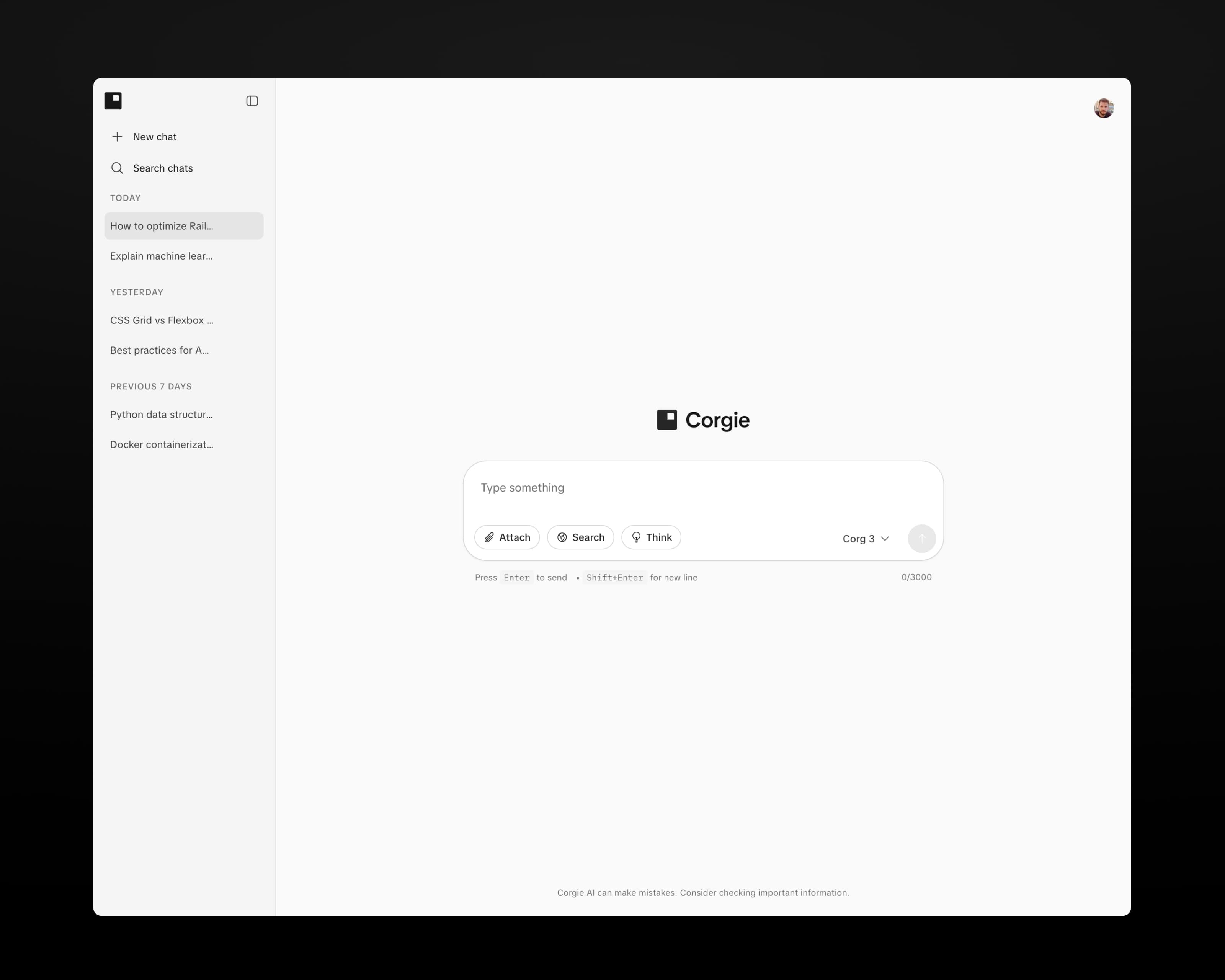
Meet Corgie - A free AI-inspired Rails UI theme.
Corgie is a theme that’s not only developer-friendly but also gives your app a head start with polished UI components right out of the box in the AI space. With Corgie, you get:
- AI-driven design that adapts beautifully across a standard Rails app.
- Pre-bundled Rails UI components and pages ready to drop into your project
- A clean, modern look that feels fresh but stays practical for real-world apps
- A theme and components that come at no cost (it’s free!).
Learn more about Corgie: railsui.com/themes/corgie or try the live preview: corgie.railsui.com.
Railsui::FormBuilder
Rails form helpers are powerful, but they’ve always required a lot of markup and repetition to get polished results. With Railsui::FormBuilder, every input, label, and error state is automatically styled and theme-aware — no extra work required. Pass the builder to your Rails forms and you’re golden.
It's worth noting that you can definitely use Rails UI with or without the builder to access the same sharp UI.
Here’s a quick comparison:
<!-- WITH Rails UI Form Builder -->
<%= form_with model: @user, builder: Railsui::FormBuilder do |f| %>
  <%= f.form_group do %>
    <%= f.email_field :email,
        label: "Email Address",
        placeholder: "john@example.com",
        help: "Automatically styled with theme classes" %>
  <% end %>

  <%= f.submit "Submit" %>
<% end %>

<!-- WITHOUT Rails UI Form Builder (standard Rails with CSS classes) -->
<%= form_with model: @user do |f| %>
  <div class="form-group">
    <%= f.label :email, "Email Address", class: "form-label" %>
    <%= f.email_field :email, placeholder: "john@example.com", class: "form-input" %>
  </div>
  <%= f.submit "Submit" class: "btn btn-primary" %>
<% end %>
Less code. Better defaults. Cleaner UI. Nice!
Form Builder in Action
A Basic Form
Notice how most fields are just one-liners? I prefer this approach to adding multiple labels and input fields. You can skip labels, add supporting helper text, and pass options as well. Check out the docs to get a more thorough take on how it all works.
<%= form_with model: @user, builder: Railsui::FormBuilder do |f| %>
  <%= f.text_field :name, label: "Full Name", placeholder: "John Doe" %>
  <%= f.email_field :email, label: "Email Address", placeholder: "john@example.com", help: "We'll never share your email with anyone else." %>
  <%= f.text_area :bio, label: "Biography", placeholder: "Tell us about yourself...", rows: 4 %>
  <%= f.submit "Save Profile" %>
<% end %>
All Input Types
Railsui::FormBuilder supports the full range of Rails input helpers, and you can extend the theme fairly easily. We extend some to include handy stimulus components for maximum UI control.
i.e. The range field leverages the range_controller from the railsui-stimulus package.
<%= form_with model: @model, builder: Railsui::FormBuilder do |f| %>
  <%= f.text_field :text, label: "Text Field" %>
  <%= f.email_field :email, label: "Email Field", placeholder: "john.doe@example.com" %>
  <%= f.password_field :password, label: "Password Field" %>
  <%= f.number_field :number, label: "Number Field", min: 0, max: 100 %>
  <%= f.telephone_field :phone, label: "Phone Number" %>
  <%= f.url_field :website, label: "Website URL" %>
  <%= f.date_field :date, label: "Date" %>
  <%= f.time_field :time, label: "Time" %>
  <%= f.color_field :color, label: "Color Picker" %>
  <%= f.search_field :search, label: "Search", placeholder: "Search..." %>
  <%= f.file_field :file, label: "File Upload" %>
  <%= f.range_field :volume, label: "Volume", min: 0, max: 100, value: 25 %>
<% end %>
Built-in form groups
Usually, in forms, you’ll have multiple inputs and need some offset between each. You can add something like a space-y-4 style class to a form element to get some balanced gaps, or if you prefer, make use of some handy form_group helpers. These also accept a class option for customization.
<%= form_with model: @article, builder: Railsui::FormBuilder do |f| %>
    <%= f.form_group do %>
      <%= f.text_field :first_name, label: "First name" %>
    <% end %>

    <%= f.form_group, class: "border-b border-gray-300 pb-6 mb-6" do %>
      <%= f.text_field :username, label: "Username" %>
    <% end %>
<% end %>
Rich Text Area
ActionText support comes out of the box. All Rails UI themes come with pre-styled ActionText UI to override the defaults. There’s chatter of a new markdown editor coming to Rails. When that ship's, we’ll extend the builder to include it all the same.
<%= form_with model: @article, builder: Railsui::FormBuilder do |f| %>
  <%= f.rich_text_area :content,
        label: "Article Content",
        placeholder: "Write your article content here...",
        help: "Supports rich text formatting with images and attachments" %>
<% end %>
Checkboxes, Radios, and Switches
You don't need to add extra label elements, which get you far with a single line of ERB code.
<%= form_with model: @model, builder: Railsui::FormBuilder do |f| %>
  <%= f.check_box :newsletter, label: "Subscribe to newsletter" %>
  <%= f.check_box :notifications, label: "Email notifications" %>
  <%= f.radio_button :plan, "pro", label: "Pro Plan ($9/month)" %>
  <%= f.switch_field :dark_mode, label: "Enable dark mode" %>
<% end %>
Validation & Errors
Validation errors are handled automatically, with labels marked as required when presence validators are used. If @user.errors is present, errors display inline, styled with your theme’s error classes.
<%= form_with model: @user, builder: Railsui::FormBuilder do |f| %>
  <%= f.text_field :name, label: "Full Name" %>
  <%= f.email_field :email, label: "Email Address" %>
  <%= f.submit "Submit" %>
<% end %>
This release is all about less boilerplate, more developer happiness. Corgie is free, and I’m pretty pleased with how it turned out. I hope you'll give it a try and let me know what you build.
Useful links:
- Rails UI Documentation
- Try the free version of Rails UI
- Get full access to all themes and components
- Railsui::FormBuilder Docs
Cheers, Until next time 👋