Build a Community Platform with Rails UI
Create engaging community spaces with forums, discussions, and member profiles. Social features and content feeds designed for connection.
The challenge
Community platforms need to balance content discovery with social interaction: discussion threads, member profiles, content feeds, notifications, and moderation tools. Creating an engaging yet manageable interface takes careful design.
The Rails UI solution
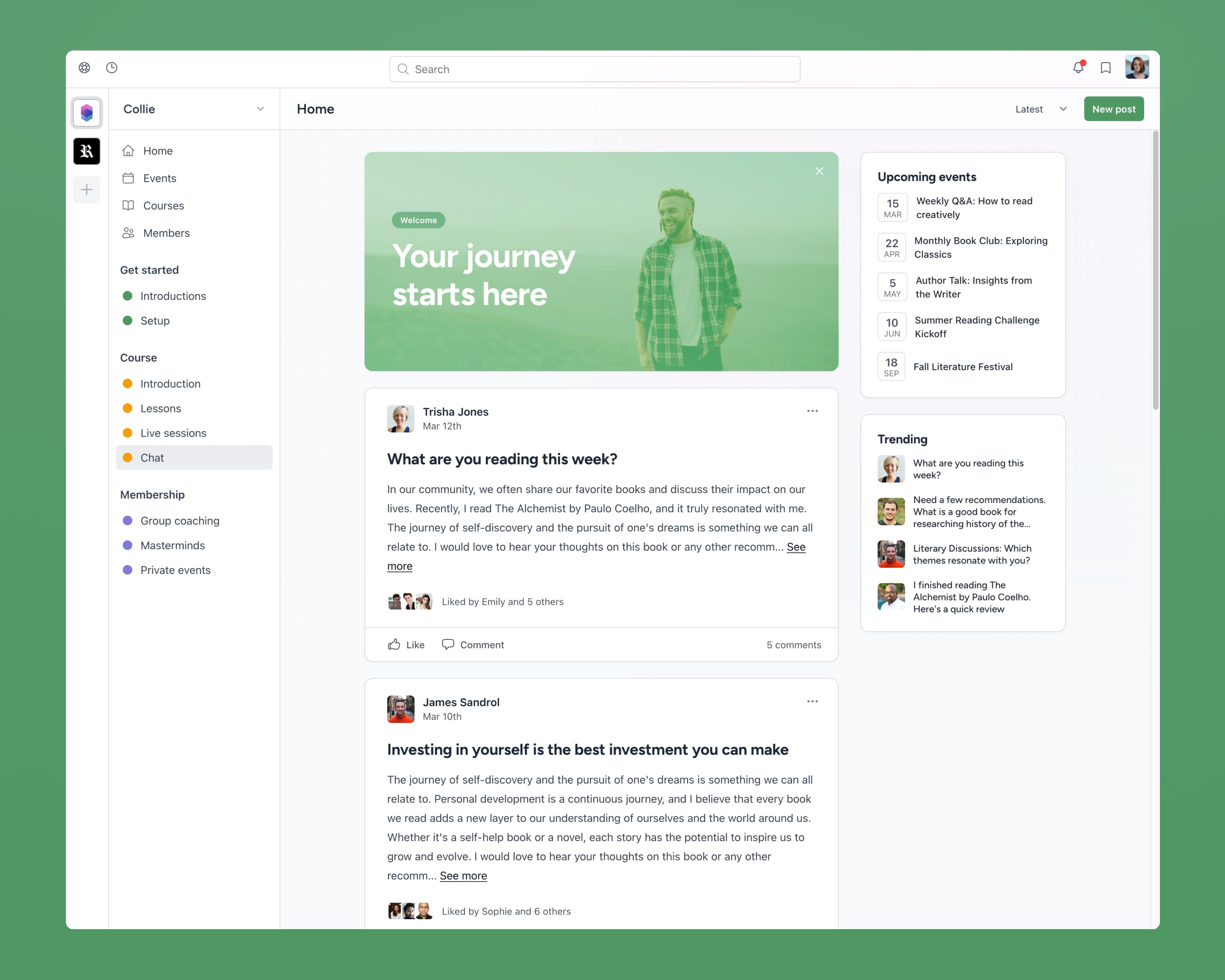
The Collie app kit is designed for social and community applications. With components for discussions, user profiles, and content feeds, you can build an engaging community platform without designing from scratch.
Key components for community platforms
Discussion threads
Threaded conversations with replies, reactions, and author info.
Member profiles
User cards with avatars, bios, and activity summaries.
Content feeds
Scrollable activity streams with posts, updates, and announcements.
Categories & tags
Organize discussions with visual category badges and tags.
Notifications
Notification dropdowns and centers for mentions and replies.
Rich text editor
Compose posts with formatting, mentions, and media embeds.
Recommended app kit: Collie
Collie's social-focused design emphasizes user profiles and content, creating an inviting space for community interaction.