Build an Admin Panel with Rails UI
Create back-office admin interfaces with data tables, user management, and configuration screens. Essential admin components ready to use.
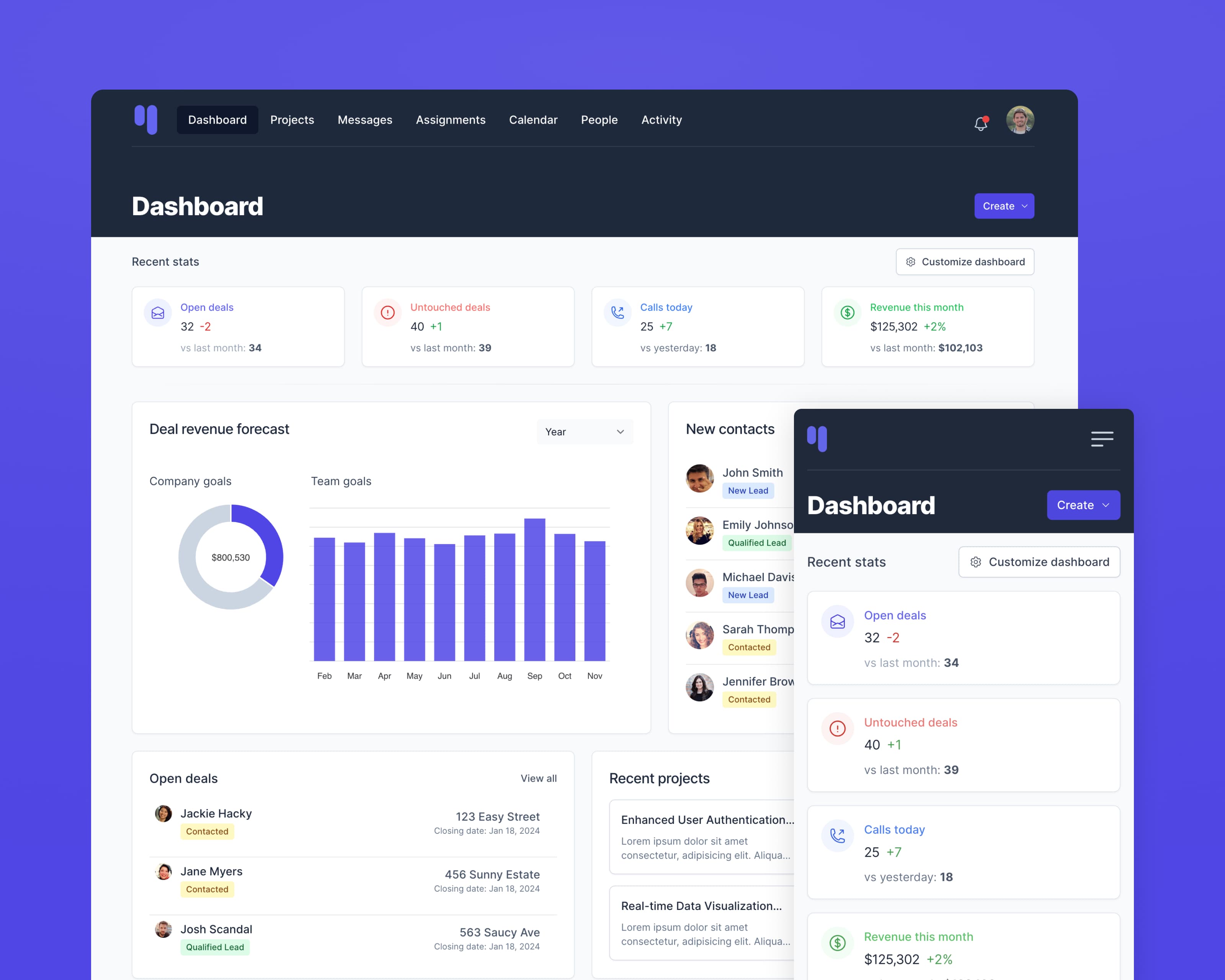
The challenge
Admin panels need to efficiently manage application data: users, content, settings, and resources. While often considered "internal only," a well-designed admin panel improves team productivity significantly.
The Rails UI solution
Rails UI provides all the components you need for professional admin interfaces. Data tables, forms, navigation patterns, and CRUD layouts work together to create maintainable admin panels.
Key components for admin panels
Data tables
Sortable, filterable, paginated tables for any resource type.
Forms
Comprehensive form inputs for creating and editing records.
Sidebar navigation
Organized navigation for accessing different resource sections.
Action menus
Dropdown menus for edit, delete, and bulk actions.
Settings panels
Configuration forms with toggles, selects, and grouped options.
Confirmation dialogs
Modal confirmations for destructive actions.
Recommended app kit: Hound
Hound's efficient, no-nonsense design is perfect for admin panels where functionality and data clarity take priority.